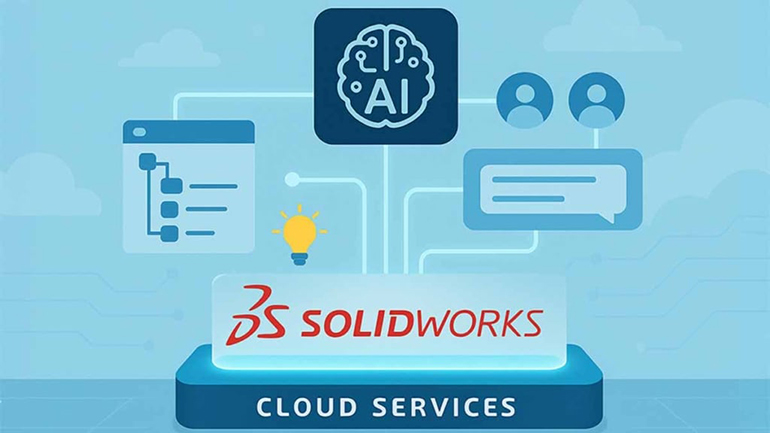
Something exciting is happening in the world of design and engineering. Whether you call it artificial intelligence (AI) or machine learning (ML), Dassault Systèmes is quietly transforming how we work.
Getting Connected: How to Access the Best AI Features
If you want to experience the best of AI, it all starts with being connected. This means using either 3DEXPERIENCE SOLIDWORKS (also called SOLIDWORKS Connected) or the traditional desktop version of SOLIDWORKS CAD with Cloud Services.
3 Things You Can Use Right Now
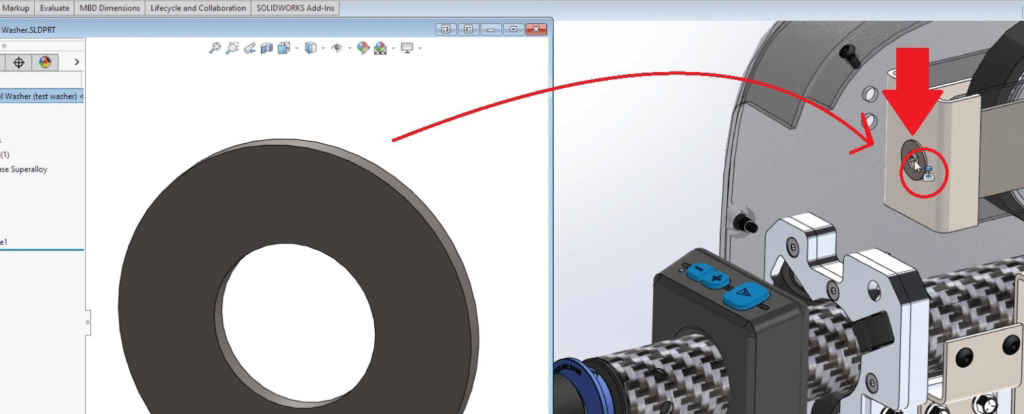
1. Mate Assistance: Assemblies That Align
Getting parts to align perfectly in assemblies can be a chore. Mate Assistance simplifies this by analyzing the components you’re placing and suggesting the most likely mate types. It understands your geometry, remembers your workflows, and helps you get the job done with fewer clicks.
2. Automatic Drawings: Instant Documentation, Zero Fuss
Creating production-ready drawings no longer has to be a time sink. With Automatic Drawings, you can generate detailed 2D drawings from your parts or assemblies in just a few clicks. The tool intelligently places standard views, applies dimensions, and adds annotations based on your predefined drafting standards — taking care of all the busywork!

Whether you’re using 3DEXPERIENCE SOLIDWORKS, desktop SOLIDWORKS with Cloud Services, or xDesign (Dassault Systèmes’s 100% browser-based CAD platform), Automatic Drawings helps deliver fast, consistent documentation. It’s a powerful solution for teams working tight deadlines, accelerating design reviews, production handoffs, and compliance workflows without sacrificing quality.

Classic Time-Savers: Smart Automation
While new AI tools are generating a lot of buzz, SOLIDWORKS has quietly included intelligent, automated helpers for years. Tools like FilletXpert, DraftXpert, and FeatureWorks have long handled repetitive tasks by recognizing patterns, resolving conflicts, and suggesting solutions — automatically.


These features may not be labeled as “AI,” but they do a lot of the heavy lifting when it comes to editing complex models. If you’ve ever needed to update a web of fillets or recognize features from imported geometry, chances are you’ve already experienced some early automation in action.
AURA: AI in SOLIDWORKS

This article wouldn’t be complete without mentioning AURA — the brand-new SOLIDWORKS AI assistant. Now available in beta for all 3DEXPERIENCE commercial users, AURA acts as a conversational companion within SOLIDWORKS, helping you work smarter by providing context-aware guidance, automating tedious tasks, and offering intelligent suggestions as you design.
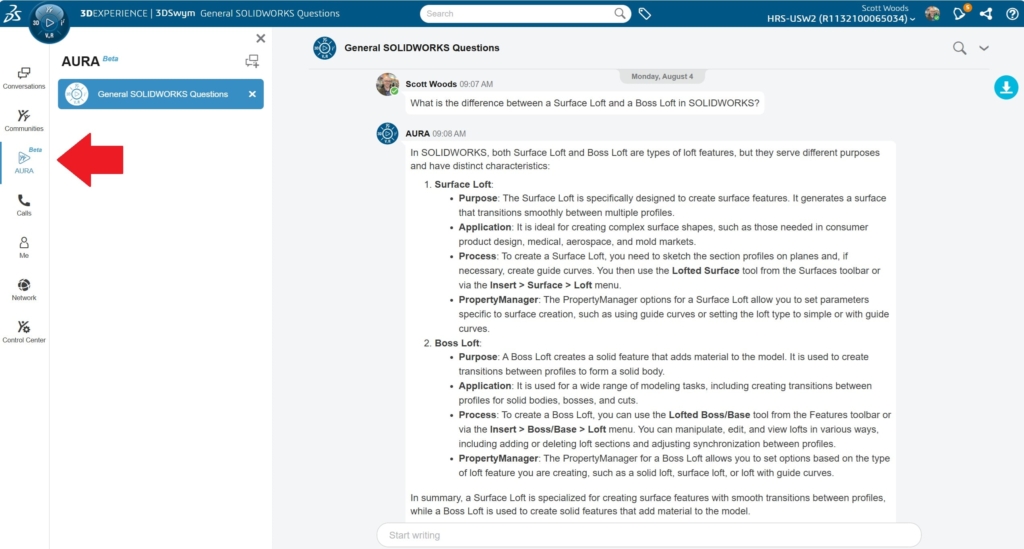
You can access AURA today through the 3DSwym app on the 3DEXPERIENCE platform — once opened, it’s located in the left-hand column, ready to assist.
Developed by Dassault Systèmes, AURA is designed to enhance your professional experience by delivering comprehensive, accurate, and contextually relevant information. Whether you need help navigating Dassault Systèmes documentation, engaging in 3DSwym communities, or simply have a question, AURA provides well-structured responses to keep your workflow moving.

Equally important, AURA is built with data privacy and security at its core. It does not access personal or user-specific information, ensuring your interactions remain confidential. Its sole focus is on providing valuable insights and support while maintaining the highest standards of data integrity.
It’s still early, but AURA represents an exciting leap forward in making advanced design tools more intuitive and accessible. As it continues to evolve, it’s clear that AI isn’t just an add-on to SOLIDWORKS — it’s becoming an integral part of how we approach design.
A Look Ahead: 5 AI Features in Development
The roadmap for AI in SOLIDWORKS and 3DEXPERIENCE is ambitious. At this year’s 3DEXPERIENCE World conference in Houston, Dassault Systèmes shared a few of the projects currently in development:
- AI-Generated Parametric Models from Mesh Data
- AI-Optimized Assembly Structures
- Contextual Help and Guidance
- AI-Powered Renderings
- xDesign
1. AI-Generated Parametric Models from Mesh Data
Import a mesh or scan and have AI turn it into an editable, fully parametric model. This will be a major step forward for reverse engineering!
2. AI-Optimized Assembly Structures
In the future, AI will help structure your assemblies more efficiently. It could recommend part placement and subassembly structures to improve performance and manufacturability.
3. Contextual Help and Guidance
Building on AURA, new features will deliver smart, in-the-moment guidance based on what you’re doing — so you get help without breaking your workflow.
4. AI-Powered Renderings
Quickly create photorealistic visuals of your designs using AI-generated lighting, textures, and backgrounds. Ideal for marketing, reviews, and presentations.

These aren’t just experiments. They’re practical tools designed to help you work more efficiently.
And there’s more of them coming…like improved DSPBR visual appearances, faster workflows for working with large multibody parts, easier multibody selection, and UI enhancements.
5. xDesign
Many of these innovations are also finding their way into xDesign. While its AI roadmap isn’t identical to SOLIDWORKS, the goal is the same: to give you smarter tools that help you design better.
The Best Is Yet to Come
The addition of AI to SOLIDWORKS and 3DEXPERIENCE isn’t just a trend. It’s a shift in how engineering is done. You can already see the benefits in features like Mate Assistance and Automatic Drawings. And with tools like AURA and mesh-to-feature conversion on the horizon, the best is yet to come.
Stay connected, stay curious, and keep an eye on future updates.
Want to chat? Reach out to us.
Sponsored content by Hawk Ridge Systems